Introduction
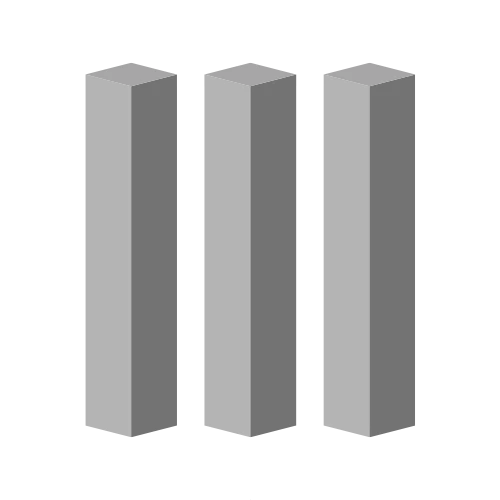
Whether you’re pouring footings for a deck, setting fence posts, or constructing structural supports, knowing exactly how much concrete you need saves time, money, and frustration. The Concrete Column Calculator helps you estimate volume in cubic meters, the number of pre‑mixed bags required, and the total material cost for round, rectangular, or square columns. Simply enter your column dimensions (in centimeters), quantity, waste percentage, and local material prices. The tool instantly converts your inputs into actionable numbers no complex formulas or guesswork. Builders, DIY enthusiasts, and students can rely on this free, client‑side calculator for quick, private estimates. Powered by Toolraxy, it’s designed to give you transparent, accurate results without sending data to any server. Stop over‑ordering or running out of mix halfway through your project; start calculating with confidence today.
How to Use
Select column shape – Choose round, rectangular, or square.
Enter dimensions – Input diameter, length, width, side, and height (all in cm).
Set quantity – How many identical columns you need.
Choose material method – Pick pre‑mixed bags or custom mix (per m³).
Adjust waste factor – Add 5–10% for spillage and overbreak (default 5%).
Enter local costs – Cost per bag or cost per cubic meter.
Select currency – Choose from 30+ currencies.
Click “Calculate” – See volume per column, total bags, and total cost instantly.
How the Tool Works
The calculator follows three main steps: volume calculation, material conversion, and cost estimation. All inputs are in centimeters, then converted to meters for volume in cubic meters (m³).
Volume Formulas
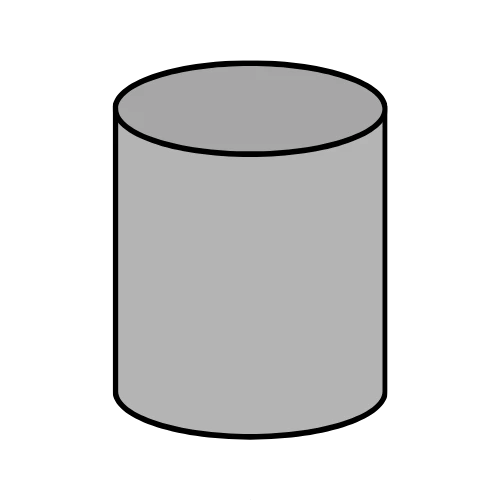
Round column
Volume (m³) = π × (diameter ÷ 2 ÷ 100)² × (height ÷ 100)
Rectangular column
Volume (m³) = (length ÷ 100) × (width ÷ 100) × (height ÷ 100)
Square column
Volume (m³) = (side ÷ 100)² × (height ÷ 100)
Waste Factor & Total Volume
Total volume with waste = single column volume × quantity × (1 + waste% ÷ 100)
Pre‑mixed Bags Needed
Total weight (kg) = total volume with waste × density (default 2400 kg/m³)
Bags needed = ceil(total weight ÷ bag size in kg)
The result is rounded up because you cannot buy a fraction of a bag.
Custom Mix (per m³)
Total cost = total volume with waste × cost per m³
Cost Per Column & Total
All monetary values are formatted according to the selected currency. If any dimension is zero or negative, the tool shows “—” to prevent invalid calculations.
Worked Example
Problem: You need to pour one round concrete column for a porch support. Diameter = 30 cm, height = 250 cm. You plan to use 25 kg pre‑mixed bags costing $8.50 each, with a 5% waste factor. Concrete density is 2400 kg/m³. How many bags and what’s the total cost?
Step‑by‑step:
Radius in meters = (30 cm ÷ 2) ÷ 100 = 0.15 m
Height in meters = 250 cm ÷ 100 = 2.5 m
Single column volume = π × (0.15)² × 2.5 = 0.1767 m³
Add 5% waste = 0.1767 × 1.05 = 0.1855 m³
Total weight = 0.1855 m³ × 2400 kg/m³ = 445.2 kg
Bags needed = 445.2 kg ÷ 25 kg/bag = 17.8 → 18 bags (always round up)
Total cost = 18 bags × 8.50 = 153.00
Takeaway: Order 18 bags to account for spillage and safety. The calculator shows the same result instantly, helping you avoid an extra trip to the store.
Benefits of Using This Tool
Saves time – Instant results, no manual π or unit conversions.
Reduces errors – Automated rounding and waste handling.
Free to use – No subscriptions or hidden fees.
Private – All calculations run in your browser; no data sent to any server.
Accessible on any device – Works on desktop, tablet, or mobile.
Supports 30+ currencies – Ideal for international projects.
Handles both pre‑mixed and custom mix – Flexible for DIY or professional batching.
FAQs
How accurate is this concrete column calculator?
The calculator is mathematically exact for the volume formulas. Accuracy depends on your input measurements – use a tape measure or laser distance tool for best results.
Can I calculate concrete for other column shapes (e.g., hexagonal)?
No, this tool only supports round, rectangular, and square columns. For other shapes, you would need a custom formula or professional software.
What is the difference between pre‑mixed bags and custom mix?
Pre‑mixed bags are factory‑blended dry concrete – just add water. Custom mix means you buy cement, sand, and aggregate separately and batch your own concrete. The calculator uses cost per bag for the former and cost per m³ for the latter.
How do I convert cubic meters to bags manually?
Multiply the total cubic meters by density (2400 kg/m³) to get kg, then divide by bag size (e.g., 25 kg). Round up to the nearest whole bag. The tool does this automatically.
Does this calculator include reinforcement steel (rebar) or formwork?
No. Only concrete volume and cost are estimated. Rebar, formwork, labor, and finishing are separate expenses.
Why is the density set to 2400 kg/m³?
That’s the standard density for normal weight concrete (mix of cement, aggregates, and water). Lightweight concrete may be lower; you can adjust the density field as needed.
Can I use feet and inches instead of centimeters?
The tool expects centimeters. Convert feet to cm by multiplying by 30.48, and inches by 2.54. For example, 2 feet = 60.96 cm.
Is this tool suitable for professional engineering or structural design?
No. It is an estimation tool for material takeoffs and budgeting. Structural design requires engineering calculations, safety factors, and local building codes.
What happens if I enter zero or negative dimensions?
The calculator shows “—” for volume and cost, preventing invalid results. You will be prompted to enter positive numbers.
How does the waste factor affect total cost?
Waste increases total volume, which increases total weight (for pre‑mixed) or total m³ (for custom mix). Higher waste = higher cost, but it’s usually cheaper than running out of concrete mid‑pour.
Can I share my calculation results with someone else?
Yes. Use the “Copy” button to copy a summary to your clipboard, or the “Share” button to send via email, messaging, or social media (on supported devices).
What currencies are available?
Over 30 currencies, including USD, EUR, GBP, JPY, INR, PKR, CAD, AUD, and many more. The symbol and formatting update automatically.