Introduction
Whether you are building a garden wall, a house extension, or a commercial facade, getting the mortar mix and brick quantity right is fundamental to structural integrity and budget control. A Mortar Calculator helps you estimate the number of bricks or blocks required, the volume of mortar needed to bind them, the exact bags of cement, the sand volume, and the total material cost based on your wall dimensions and mix ratio. This tool is designed for bricklayers, masonry contractors, quantity surveyors, and self-builders who need precise, transparent estimates before ordering materials. Toolraxy provides a comprehensive calculator that works with both standard dimensions and custom brick sizes, adapting to metric and imperial units while keeping all computations private and client-side.
How to Use the Mortar Calculator
Select your preferred currency from the dropdown for cost calculations.
Choose your input method: enter the wall length and height, or directly input the number of bricks.
If using wall dimensions, enter the length and height in meters or feet, and subtract any door or window openings.
Enter your brick or block dimensions, including length, width, and height, along with the mortar joint thickness.
Set the waste factor percentage to account for breakage and spillage.
Specify your cement-to-sand mix ratio and the price per bag of cement and per unit volume of sand.
Click Calculate. The tool displays the brick count, mortar volume, cement bags, sand volume, and total cost.
How the Tool Works
This Mortar Calculator uses standard masonry estimation formulas to derive material quantities from wall geometry and brick dimensions.
When the wall dimensions method is selected, the gross wall area is calculated as:
Gross Wall Area = Wall Length × Wall Height
The net wall area is obtained by subtracting any openings:
Net Wall Area = Gross Wall Area – Openings Area
The number of bricks is determined by the effective brick face area, which includes one mortar joint thickness added to both the length and height of a single brick:
Bricks per Square Meter = 1 ÷ ((Brick Length + Joint Thickness) × (Brick Height + Joint Thickness))
Total Brick Count = Ceiling of (Net Wall Area × Bricks per Square Meter)
When the brick count method is selected, the entered number of bricks is used directly.
Mortar volume is calculated using the formula:
Mortar Volume = Brick Count × (Brick Length + Brick Height) × Joint Thickness × Brick Width × 1.2
The factor of 1.2 accounts for head joints and vertical mortar that is not captured by bed joint calculations alone. A user-defined waste percentage is then applied:
Final Mortar Volume = Mortar Volume × (1 + Waste Percentage ÷ 100)
The mortar volume is split into cement and sand based on the entered mix ratio:
Cement Volume = Final Mortar Volume × (Cement Parts ÷ Total Parts)
Sand Volume = Final Mortar Volume × (Sand Parts ÷ Total Parts)
Cement weight is derived using a density of 1440 kg/m³:
Cement Weight = Cement Volume × 1440
Cement Bags = Ceiling of (Cement Weight ÷ Bag Weight)
Cost is computed as:
Cement Cost = Cement Bags × Price per Bag
Sand Cost = Sand Volume × Price per Unit Volume
Total Cost = Cement Cost + Sand Cost
In imperial mode, sand volume converts to cubic yards and mortar volume displays in cubic feet. All conversions are handled internally to maintain consistency.
Worked Example
Consider a straight garden wall that is 10 meters long and 2.5 meters high, built with standard UK bricks measuring 215 mm × 102.5 mm × 65 mm and a 10 mm mortar joint. There are no openings, and you choose a 1:4 cement-to-sand mix with 5% waste.
Gross wall area: 10 m × 2.5 m = 25 m².
Effective brick dimensions with joint: length = 0.215 + 0.01 = 0.225 m, height = 0.065 + 0.01 = 0.075 m.
Bricks per square meter: 1 ÷ (0.225 × 0.075) ≈ 59.26 bricks.
Total brick count: ceiling of 25 × 59.26 = 1,482 bricks.
Mortar volume before waste: 1482 × (0.215 + 0.065) × 0.01 × 0.1025 × 1.2 ≈ 0.512 m³.
After 5% waste: 0.512 × 1.05 ≈ 0.538 m³.
Cement volume: 0.538 × (1 ÷ 5) = 0.1076 m³.
Cement weight: 0.1076 × 1440 = 155 kg. With 25 kg bags, you need 7 bags (rounded up from 6.2).
Sand volume: 0.538 × (4 ÷ 5) = 0.430 m³.
This example shows that a modest garden wall consumes significant materials, and the calculator provides a clear shopping list you can take directly to a supplier.
What Is the Best Cement-to-Sand Ratio for Brickwork Mortar?
A 1:4 ratio is standard for general-purpose brickwork above ground, providing a good balance of strength and workability. For load-bearing walls or foundations, a stronger 1:3 mix is preferred. A leaner 1:5 or 1:6 mix may be used for internal, non-load-bearing partitions. The calculator accepts any ratio, allowing you to match the structural engineer’s specification exactly.
What Is a Typical Mortar Joint Thickness in Brick Masonry?
Standard mortar bed joint thickness is 10 mm, and this value is widely used in construction specifications and bricklaying training. Joint thickness can vary between 6 mm and 15 mm depending on brick type and aesthetic preference. Thicker joints consume significantly more mortar, so even a 2 mm increase raises material quantities noticeably across a large wall.
How Many Bricks Are in a Square Meter of Wall?
For standard UK bricks (215 mm × 65 mm) with a 10 mm joint, approximately 60 bricks cover one square meter of single-skin wall. Larger bricks or blocks reduce this number, while smaller or imperial-sized bricks increase it. The calculator automatically determines this density from your specific brick and joint dimensions.
Why Add a Waste Factor to Mortar Calculations?
A waste factor accounts for mortar dropped on the ground, left in the mixing tub, spilled during transport, and absorbed by porous bricks. A 5% waste factor is common for experienced bricklayers working on clean sites, while 10% is safer for DIY projects or uneven terrain. The calculator lets you set any waste percentage between 0% and 25%.
Difference Between Calculating by Wall Area and by Brick Count
Wall area calculation is ideal during the design phase when you have architectural plans and need a full material takeoff. Brick count input is useful when bricks are already purchased or stacked on site, and you need to calculate the mortar required to lay a known quantity. Both methods produce the same mortar volume for an equivalent number of bricks.
What Factors Affect Mortar Consumption in a Brick Wall?
Mortar consumption increases with thicker joints, deeper brick frogs, wider brick widths, and higher brick counts per square meter. Complex wall patterns like English or Flemish bond also use more vertical mortar than simple running bond. Waste, site conditions, and the skill of the bricklayer further influence the final quantity used.
How Do You Estimate Cement Bags from Mortar Volume?
Cement density is approximately 1440 kg/m³ for Ordinary Portland Cement. Multiply the cement volume in cubic meters by 1440 to get the weight in kilograms, then divide by the bag weight—commonly 25 kg or 50 kg—to get the number of bags, always rounding up. The calculator performs this conversion automatically and displays the rounded-up bag count.
Common Mistakes When Estimating Mortar Materials
A frequent error is forgetting to add the joint thickness to brick dimensions when calculating bricks per square meter, leading to an undercount. Another mistake is using only bed joint volume and omitting the 20% head joint allowance. Mixing metric and imperial units without proper conversion also produces large errors. The calculator eliminates these risks by applying the complete formula and handling unit conversions internally.
Real-World Scenario for a Mortar Calculator
A builder is constructing a double-skin garage wall, 6 meters long and 2.4 meters high, with a pedestrian door opening of 2 m². Using the calculator with standard bricks, a 1:4 mix, and 7% waste, the builder determines 1,350 bricks, 0.41 m³ of mortar, 6 cement bags, and 0.33 m³ of sand are needed. By ordering exactly these quantities from a single batch, the builder maintains mortar color consistency across the entire wall, avoids returning to the merchant, and keeps the project on schedule.
Benefits of Using This Mortar Calculator
Saves time by eliminating manual geometry and ratio calculations.
Reduces errors in brick counts and material takeoffs.
Provides instant estimates for bricks, mortar volume, cement bags, sand, and cost.
Free to use on any device without registration.
Client-side processing means your project data stays private.
Supports both metric and imperial measurements for international use.
FAQs
How accurate is this mortar calculator?
The calculator uses industry-standard masonry estimation formulas and fixed densities for cement and sand. It provides a reliable estimate, but you should always add a small site-specific waste buffer.
Can I calculate mortar for concrete blocks as well as bricks?
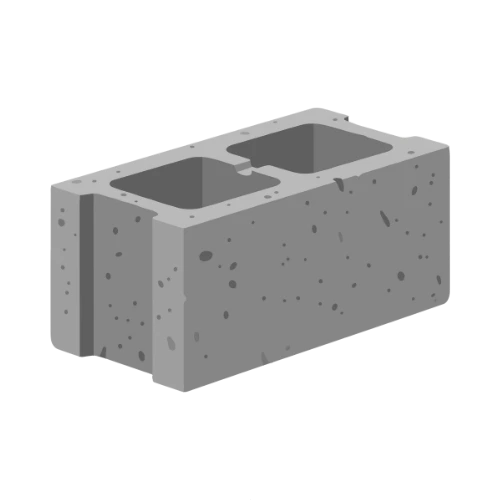
Yes. Enter the exact dimensions of your concrete blocks, including their width, and adjust the joint thickness as needed. The formula works identically for blocks.
What is the difference between cement and mortar?
Cement is a fine powder binder. Mortar is a mixture of cement, sand, and water. The calculator estimates how much dry cement and sand you need to produce the required mortar volume.
How do I choose between metric and imperial units?
The calculator detects your unit system based on whether you select meters or feet for wall length. All subsequent volume displays and cost calculations align with that choice.
Why does the calculator add 20% for head joints?
The 1.2 multiplier accounts for the vertical mortar joints between adjacent bricks, which are not captured when only considering the bed joint around the brick perimeter.
What sand price unit should I enter?
Enter the price per cubic meter if using metric, or the price per cubic yard if using imperial. The calculator displays the sand volume in the corresponding unit.
Is my project data stored or shared?
No. All calculations run entirely in your browser. No measurements, material lists, or costs are uploaded or saved to any server.
Can I share my mortar estimate with a supplier?
Yes. Use the Copy button to copy all results to your clipboard, or the Share button to send a summary via your device’s sharing capabilities.
What happens if I enter zero for the wall area?
The calculator will display a message asking for valid wall dimensions and will not compute a material estimate until positive values are entered.
Does the calculator account for different brick laying patterns?
The formula applies a fixed 20% head joint allowance, which covers standard running bond. Complex bonds may require slightly more mortar; adjust the waste factor to compensate.