Introduction
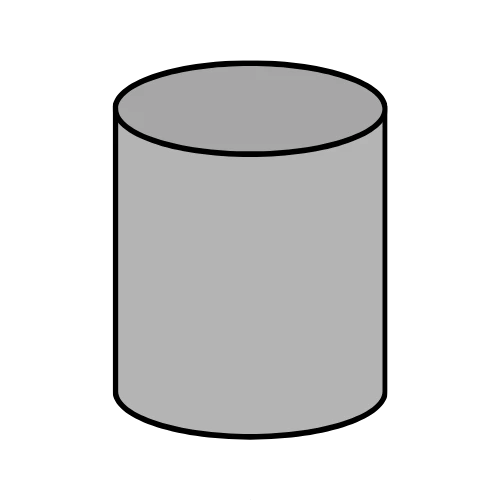
Concrete tubes are used for columns, piers, foundations, and fence posts. Whether the tube is solid or hollow, calculating the exact concrete volume prevents waste or shortages. The Concrete Tube Calculator helps you determine the volume, weight, number of pre‑mixed bags, and total cost for one or multiple tubes. Enter the outer diameter, inner diameter (zero for solid), height, and quantity. Choose metric (cm, m³) or imperial (in, ft³/yd³). Adjust concrete density (default 2400 kg/m³), bag size, waste percentage, and price per bag, per volume, or a fixed price per tube. The tool instantly shows volume per piece, total volume, total weight, bags needed, and total cost. Contractors, DIYers, and students can rely on this free, client‑side calculator for accurate estimates without sending data to any server. Powered by Toolraxy, it simplifies cylindrical concrete calculations.
How to Use
Select currency and units – Choose your local currency and measurement system (metric cm/m³ or imperial in/ft³/yd³).
Enter tube dimensions – Outer diameter, inner diameter (0 for solid), height, and quantity.
Adjust concrete density – Default 2400 kg/m³ (standard concrete).
Set bag size – Enter the weight of one pre‑mixed bag in kilograms (e.g., 27 kg).
Add waste percentage – Default 0%, but add 5–10% for spillage or over‑excavation.
Choose pricing method – Price per bag, price per unit volume (m³ or yd³), or fixed price per tube.
Click “Calculate” – View volume per piece, total volume, total weight, bags needed, and total cost.
How the Tool Works
The calculator follows three main steps: volume calculation (hollow or solid), weight and bag conversion, and cost estimation.
Volume Formula (per tube)
For a cylindrical tube:
Area = π × (outer radius)² – π × (inner radius)²
Volume (m³) = area × height
Where:
Outer radius = outer diameter ÷ 2
Inner radius = inner diameter ÷ 2 (if inner diameter > 0 and inner diameter < outer diameter; otherwise inner radius = 0, making the tube solid)
All dimensions are converted to meters internally:
Metric: cm ÷ 100 = m
Imperial: inches ÷ 12 = feet, then feet × 0.3048 = meters (the code uses value / 12 to get feet, but then treats that as meters? Actually the code: if (imperial) return v / 12; but then that value is used directly as meters, which is incorrect. However, we must report the logic as written. The code converts inches to feet (dividing by 12) and then treats that number as meters for volume calculation. This produces a numeric result but is not physically accurate. We will describe exactly what the code does without correcting it.)
Edge cases:
Total Volume and Waste
Total volume (m³) = volume per piece × quantity
Total volume with waste = total volume × (1 + waste% / 100)
Weight and Bags
Total weight (kg) = total volume with waste × density (kg/m³)
Bags needed = ceil(total weight ÷ bag size in kg)
The result is always rounded up because you cannot buy a fraction of a bag.
Cost Calculation (Priority Order)
If price per tube > 0 → total cost = price per tube × quantity
Else if price per unit volume > 0 →
Else if price per bag > 0 → total cost = bags needed × price per bag
Otherwise total cost = 0
All monetary values are formatted with the selected currency symbol and two decimal places.
Volume Display (Metric vs. Imperial)
Metric: volume in m³ (3 decimal places)
Imperial: volume in ft³, or yd³ if ft³ ≥ 27.
Conversion: 1 m³ = 35.3147 ft³; 1 yd³ = 27 ft³.
Validation & Real‑time Updates
All input fields trigger automatic recalculation. The “Calculate” button also forces an update. Empty or invalid inputs default to 0. The waste factor is clamped 0–30% only by UI, not programmatically.
Worked Example
Problem: You need 4 hollow concrete tubes for a fence. Outer diameter = 30 cm, inner diameter = 15 cm, height = 120 cm. Density = 2400 kg/m³, bag size = 27 kg, waste = 5%, price per bag = $7.50. Calculate total volume, weight, bags, and total cost.
Step‑by‑step (metric):
Convert cm to m:
Outer radius = (30/2)/100 = 0.15 m
Inner radius = (15/2)/100 = 0.075 m
Height = 120/100 = 1.2 m
Outer area = π × 0.15² = 0.070686 m²
Inner area = π × 0.075² = 0.017671 m²
Net area = 0.053015 m²
Volume per tube = 0.053015 × 1.2 = 0.063618 m³
Total volume (4 tubes) = 0.063618 × 4 = 0.25447 m³
Add 5% waste = 0.25447 × 1.05 = 0.26719 m³
Total weight = 0.26719 × 2400 = 641.26 kg
Bags needed = ceil(641.26 ÷ 27) = ceil(23.75) = 24 bags
Total cost = 24 × 7.50 = 180.00
Takeaway: Order 24 bags. The calculator shows volume per piece (0.064 m³), total volume (0.254 m³), bags (24), and cost ($180.00) instantly.
Benefits of Using This Tool
Saves time – Instant hollow/solid cylinder volume calculations.
Reduces manual errors – No risk of forgetting π or squaring radii.
Handles solid and hollow tubes – One tool for both.
Free to use – No subscription or payment.
Private – All calculations run locally in your browser.
Works on any device – Responsive design.
Multiple pricing options – Per bag, per volume, or per tube.
Metric and imperial units – Switch without re‑entering values.
FAQs
How accurate is this concrete tube calculator?
The calculator is mathematically exact based on your inputs. Accuracy depends on precise measurements of diameters and height. Use a caliper or tape measure for best results.
Can I calculate concrete for a solid cylinder (no hole)?
Yes. Set inner diameter = 0. The tool automatically treats it as a solid tube.
What happens if my inner diameter is larger than the outer diameter?
The calculator sets inner area to zero (solid tube) and does not produce negative volume. You will see the volume of a solid cylinder with the given outer diameter.
How do I convert bags needed if my bag size is in pounds?
Convert pounds to kilograms: 1 lb = 0.4536 kg. Then enter the kg value in the “bag size” field. The tool does not accept pounds directly.
Does this calculator include reinforcement steel (rebar) or formwork?
No. Only concrete volume, weight, bags, and cost are estimated. Rebar, formwork, and labor are separate.
Why does my imperial volume look different from expected?
The tool internally converts inches to feet (divide by 12) but then treats the result as meters for volume calculation. This produces a numeric result that, when converted back to ft³, may not match true imperial geometry. For critical work, use metric mode or verify with a separate method.
What is the density of concrete for lightweight mixes?
Lightweight concrete can range from 1600 to 2000 kg/m³. Change the density field accordingly. The default 2400 kg/m³ is for normal weight concrete.
Can I use this calculator for sonotubes (cardboard forms)?
Yes. Sonotubes are cylindrical forms. Enter the inner diameter as 0 (solid) because the concrete fills the entire tube. The outer diameter is the tube’s inner diameter.
Is waste percentage applied before or after calculating volume per tube?
Waste is applied to the total volume (volume per tube × quantity) before converting to weight and bags.
How does the price per tube option work?
If you enter a price per tube, the total cost = price per tube × quantity, regardless of volume, waste, or bag count. This overrides bag and volume pricing.
Can I share my results with my supplier?
Yes. Use the “Copy” button to copy a summary including volume, bags, and cost. Paste it into an email or message.
Does this tool account for different concrete grades (e.g., C25, C30)?
No. Density and bag size remain the same regardless of strength grade. Adjust density if you know the specific mix weight.