
Simulate car jumps with realistic projectile motion physics
Powered by Toolraxy · Physics & driving simulator

Founder & CEO, Toolraxy
Faiq Ur Rahman is a web designer, digital product developer, and founder of Toolraxy, a growing platform of web-based calculators and utility tools. He specializes in building structured, user-friendly tools focused on health, finance, productivity, and everyday problem-solving.
User Ratings:
ADVERTISEMENT
ADVERTISEMENT
Simulating a car jump is a fascinating application of projectile motion physics, whether you’re a student, an engineer, or an automotive enthusiast. A car jump distance calculator estimates how far a car will travel when launched from a ramp, taking into account height, slope, speed, gravity, air drag, and even the car’s tilt during flight. This tool is designed for educational purposes, allowing you to explore how changing the parameters affects the jump. It provides a detailed breakdown of the jump range, maximum height, landing position, and landing speed along with a visual trajectory chart. While the physics is realistic, this is a model, not a real-world guarantee. The default values are based on a common high-performance car example, but you can adjust every input to fit your own scenario.
Set Take-off Ramp Height: Enter the height of the take-off ramp above the ground. Choose meters or feet.
Set Landing Ramp Height: Enter the height of the landing ramp above the ground. Choose meters or feet.
Enter Take-off Ramp Slope: Type the ramp angle in degrees (0–90).
Enter Take-off Speed: Type the car’s speed as it leaves the ramp. Choose km/h, mph, or m/s.
Adjust Gravity (Optional): Use the slider to set the gravity multiplier (1g = 9.81 m/s²). Useful for simulating on other planets.
Toggle Drag and Tilt: Check “Include drag force” to account for air resistance. Check “Compute car tilt during jump” if you want the simulation to track the car’s rotation.
Choose a View: Select With table, With chart, or With table and chart to see results in your preferred format.
View Results: The table shows range, max height, and landing details. The chart plots the trajectory.
This tool uses a numerical integration method (Euler method) to simulate the projectile motion of a car. It breaks the jump into tiny time steps (0.001 seconds) and repeatedly updates the car’s velocity and position based on forces like gravity and drag.
Core Logic:
The simulation starts with the car’s initial position at the take-off ramp height, with an initial velocity determined by the take-off speed and slope angle. At each time step, it calculates the acceleration due to gravity and, optionally, air drag. It then updates velocity and position. If tilt calculation is enabled, it also updates the car’s angle based on the aerodynamic torque. The simulation stops when the car reaches the landing ramp height while descending, or after 60 seconds.
The primary formulas are as follows:
Initial Conditions:
Horizontal velocity (vx) = Take-off Speed × cos(θ)
Vertical velocity (vy) = Take-off Speed × sin(θ)
Initial height (y) = Take-off Ramp Height
θ is the ramp slope in radians.
Acceleration due to Drag (if enabled):
Drag Magnitude = 0.5 × Air Density (1.225 kg/m³) × Drag Coefficient (0.35) × Frontal Area (2.2 m²) × v² ÷ Mass (1500 kg)
Horizontal acceleration from drag = -Drag Magnitude × (vx / v)
Vertical acceleration from drag = -Drag Magnitude × (vy / v)
Acceleration due to Gravity:
Vertical acceleration = -g + Vertical drag acceleration
g = Gravity Multiplier × 9.81 m/s²
Velocity Update (Euler step):
vx_new = vx + Horizontal acceleration × dt
vy_new = vy + Vertical acceleration × dt
Position Update:
x_new = x + vx × dt
y_new = y + vy × dt
Car Tilt (if enabled):
A simplified torque model based on drag force and a lever arm is used to calculate angular acceleration, updating the car’s angle. The angle is clamped between -90° and +90°.
Landing Condition:
Landing occurs when y ≤ Landing Ramp Height and vy < 0 (moving downward), and time > 0.1 seconds.
Range is the horizontal distance (x) at that moment.
Landing speed is √(vx² + vy²).
Let’s walk through the default setup.
Scenario: A car takes off from a 5-meter-high ramp with a 20-degree slope at 160 km/h. The landing ramp is also 5 meters high. Standard gravity is used, and drag is included but tilt is not.
Steps and Results:
Set Take-off Height: 5 m
Set Landing Height: 5 m
Enter Slope: 20 degrees
Enter Speed: 160 km/h
Keep Gravity: 1g
Drag: Checked
Tilt: Unchecked
Interpretation: The results section displays:
Jump range: ~311.1 m (or similar, depending on exact simulation)
Maximum height: x ≈ 100 m, y ≈ 25 m, t ≈ 1.5 s
Landing: range ≈ 311 m, height ≈ 5 m, time ≈ 4.8 s, landing speed ≈ 80 m/s
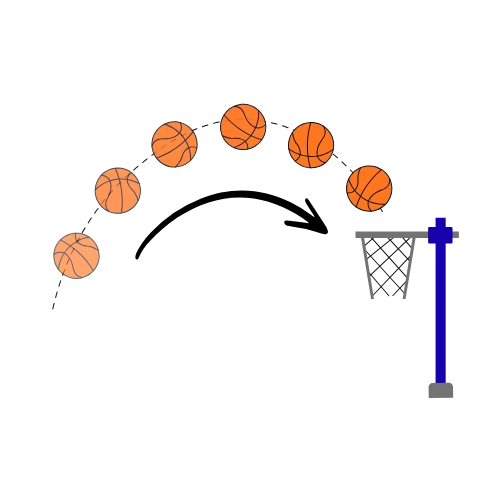
The chart shows a parabolic trajectory with markers.
Takeaway: The calculator shows that under these conditions, the car would travel over 300 meters. The trajectory is asymmetric due to drag, and the maximum height is reached about halfway through the jump. Landing speed is lower than take-off speed because drag and gravity have reduced the car’s velocity. This demonstrates how air resistance significantly affects jump distance and landing speed.
How accurate is this car jump distance calculator?
The calculator is accurate for the simplified physics model it uses, which includes optional drag and a fixed set of car aerodynamic properties. It is designed for educational purposes and may not perfectly predict a real vehicle jump due to factors like suspension, weight distribution, and wind. It should not be used for actual stunt planning without professional engineering analysis.
Can I use this tool for real car jumps?
No, you should not use this tool to plan or perform real car jumps. The disclaimer clearly states that it is for educational purposes only and that you should not try car jumping without professional advice. Real jumps involve many variables that are not modeled here.
What is the default car model in the simulation?
The simulation uses fixed parameters: mass = 1500 kg, frontal area = 2.2 m², drag coefficient = 0.35, air density = 1.225 kg/m³, and a radius of gyration = 0.8 m for tilt calculations. These values are not user-adjustable and represent a generic mid-size car.
What does the “Include drag force” toggle do?
When enabled, the simulation adds aerodynamic drag to the motion, using the drag equation and the car’s velocity. This reduces jump distance and landing speed compared to a vacuum. When disabled, the calculator behaves like a simple projectile motion model with only gravity.
What does the “Compute car tilt during jump” toggle do?
When enabled, the simulation attempts to estimate the car’s pitch angle during flight based on a simplified aerodynamic torque model. It does not include driver inputs or suspension effects. The angle is clamped between -90 and +90 degrees.
Why does the chart show an asymmetric trajectory when drag is on?
Drag reduces horizontal velocity over time, so the car covers less horizontal distance after the peak than before it. This makes the trajectory asymmetric—steeper on the descent than the ascent. In a vacuum, the trajectory would be a symmetric parabola.
Can I change the car’s aerodynamic properties?
No, the drag coefficient, frontal area, and mass are fixed in the current version. If you need to model a different vehicle, you would need to use a more advanced simulation or adjust the initial speed and angle to approximate the effect.
Is the tool safe and private to use?
Yes, it is completely safe and private. The calculator is a client-side application, meaning all processing happens locally in your web browser. The values you enter are never transmitted, stored, or shared.
This tool is intended for educational and informational purposes only. It provides a simplified physics simulation and should not be used as the basis for real-world car jumps or stunt planning. Always consult with qualified professionals and follow all safety regulations. Do not attempt dangerous driving maneuvers based on this calculator.
ADVERTISEMENT
ADVERTISEMENT