
Build your meal from food categories and calculate total GI and Glycemic Load.
Powered by Toolraxy
Embed this calculator

Founder & CEO, Toolraxy
Faiq Ur Rahman is a web designer, digital product developer, and founder of Toolraxy, a growing platform of web-based calculators and utility tools. He specializes in building structured, user-friendly tools focused on health, finance, productivity, and everyday problem-solving.
User Ratings:
ADVERTISEMENT
ADVERTISEMENT
The Glycemic Index & Load Calculator helps you understand how your meals impact blood sugar levels by calculating both the glycemic index (GI) and glycemic load (GL) of any combination of foods. Unlike the glycemic index alone, which measures how quickly a food raises blood sugar, glycemic load takes portion size into account to provide a more accurate picture of the actual blood sugar impact.
This tool is designed for anyone interested in managing their blood sugar levels, including people with diabetes, prediabetes, or those following a low-glycemic lifestyle. By selecting foods from our database and adjusting portion sizes, you can assess individual foods or build complete meals to understand their glycemic impact. The calculator uses weighted averages based on carbohydrate content, ensuring accurate results regardless of meal complexity.
How to Use the GI & GL Calculator
Browse the Food Categories section to see average GI values for different food groups.
In the Build Your Meal section, select a Food item from the dropdown menu for each row.
Adjust the Amount (g) field to match your portion size.
The Carbs per 100g field auto-populates with the carbohydrate content of your selected food.
Click Add Food to include additional items in your meal (up to 10 foods).
Remove any row by clicking the × button (only appears when more than one food is present).
Use Quick examples buttons to instantly load pre-built meals (Apple, Potato, Balanced Meal, Breakfast, Snack).
Click the Calculate button (or simply wait, results update automatically) to view your GI and GL scores.
Review the Results section for your GI score, GL score, category badges, meter display, and personalized interpretation.
Copy, share, or embed your results using the buttons below the calculator.
The calculator uses two complementary measurements to assess the blood sugar impact of your meal:
Glycemic Index (GI) measures how quickly the carbohydrates in a food raise blood glucose compared to pure glucose (which has a GI of 100). The calculator computes a weighted average GI for your entire meal based on the carbohydrate content of each food.
Formula:Meal GI = Σ (GI₍food₎ × Carbs₍food₎) / Σ Carbs₍food₎
Where:
GI₍food₎ = Glycemic Index value of each food item
Carbs₍food₎ = Total carbohydrates in your portion of each food item (calculated from the food’s carbs per 100g and your entered amount)
Glycemic Load (GL) combines the GI with the actual carbohydrate content of your portion, providing a more practical measure of blood sugar impact.
Formula:Glycemic Load = (Meal GI × Total Carbs) / 100
Interpretation ranges:
Low GI: ≤ 55
Medium GI: 56–69
High GI: ≥ 70
Low GL: ≤ 10
Medium GL: 11–19
High GL: ≥ 20
Let’s build a balanced meal and calculate its glycemic impact:
Meal: Brown Rice (150g) + Chickpeas (100g) + Carrot (50g)
Step 1: Determine each food’s GI and carbs per 100g:
Brown Rice: GI = 50, Carbs = 23g per 100g
Chickpeas: GI = 28, Carbs = 27g per 100g
Carrot (raw): GI = 71, Carbs = 10g per 100g
Step 2: Calculate total carbohydrates in each portion:
Brown Rice: (23g / 100) × 150g = 34.5g carbs
Chickpeas: (27g / 100) × 100g = 27.0g carbs
Carrot: (10g / 100) × 50g = 5.0g carbs
Total Carbs: 34.5 + 27.0 + 5.0 = 66.5g
Step 3: Calculate weighted GI sum:
Brown Rice: 50 × 34.5 = 1,725
Chickpeas: 28 × 27.0 = 756
Carrot: 71 × 5.0 = 355
Weighted GI Sum: 1,725 + 756 + 355 = 2,836
Step 4: Calculate meal GI:
Meal GI = 2,836 / 66.5 = 42.6 (Low GI)
Step 5: Calculate glycemic load:
GL = (42.6 × 66.5) / 100 = 28.3 (High GL)
This meal has a low glycemic index but high glycemic load — the carbohydrates are slow to digest (low GI), but the portion size contributes to a significant overall blood sugar impact. This highlights why considering both GI and GL is important for understanding the true glycemic effect of a meal.
The Glycemic Index and Load Calculator is a tool that estimates the glycemic impact of a meal or individual food. It works by using a database of established GI values and carbohydrate content for over 30 common foods. You build your meal by selecting foods and entering portion sizes, and the calculator computes the weighted average GI and GL using the formulas: Meal GI = Σ(GI × Carbs) / Σ Carbs, and GL = (Meal GI × Total Carbs) / 100.
Glycemic Index (GI) measures how quickly a food raises blood sugar relative to glucose, ranking foods from 0 to 100. Glycemic Load (GL) combines the GI with the actual carbohydrate content of your portion, providing a more practical measure: GL = (GI × Carbohydrate content) / 100. For example, watermelon has a high GI (72) but a low GL because it contains relatively little carbohydrate per serving.
Normal ranges for GI are: Low (≤ 55), Medium (56–69), and High (≥ 70). Normal ranges for GL are: Low (≤ 10), Medium (11–19), and High (≥ 20). For optimal health, aim for meals with low GI and low GL. For people with diabetes, the ADA recommends targeting low-GI, low-GL meals to support blood sugar control.
The calculator uses GI values from established published databases and peer-reviewed studies. While individual responses to foods can vary, the values used represent well-established averages. The calculator is as accurate as the underlying data and the arithmetic performed, the weighted average calculations are mathematically precise.
Yes, the calculator works for both individual foods and complete meals. You can add a single food to assess its GI and GL, or build multi-food meals to understand how combinations affect the overall glycemic impact.
GI alone doesn’t account for portion size. A food with a high GI but low carbohydrate content (like watermelon) may have a low GL and minimal blood sugar impact. Conversely, a low-GI food eaten in a large portion can have a high GL. Showing both metrics provides a complete picture.
The database includes 30+ common foods: white bread, whole wheat bread, apple, banana, orange, carrot, potato, white rice, brown rice, white pasta, oatmeal, cornflakes, milk, yogurt, ice cream, beans, lentils, chickpeas, peanuts, dark chocolate, soda, fruit juice, watermelon, grapes, pineapple, mango, sweet potato, corn, peas, and hummus. Additional foods are planned for future updates.
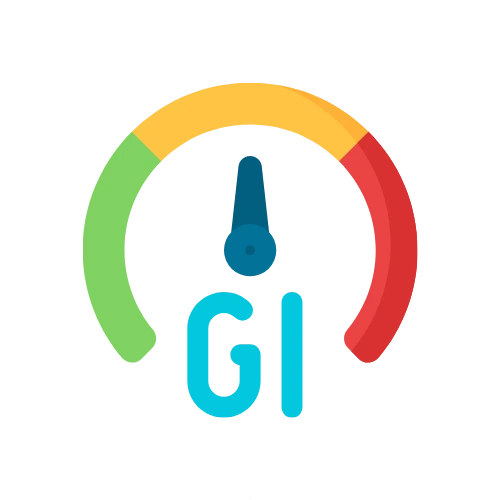
The results show your meal’s GI score, GL score, and category badges (Low/Medium/High for each). A meter displays your GI visually, and a personalized interpretation explains what the results mean for blood sugar management. Reference ranges are displayed below the results for easy comparison.
Yes, this tool is designed to help people with diabetes understand the glycemic impact of their meals. However, it is a general guide and should not replace individual blood glucose monitoring or consultation with a healthcare provider. Individual responses to foods can vary.
Use the calculator whenever you’re planning meals, trying new foods, or adjusting your diet. It’s particularly useful when comparing alternatives (e.g., white rice vs. brown rice) or assessing the impact of portion size changes on the same meal.
This Glycemic Index and Load Calculator is provided for educational and informational purposes only. It does not constitute medical advice, diagnosis, or treatment recommendations. The results are estimates based on published GI values and your self-reported food selections, but they should not replace professional medical evaluation, individual blood glucose monitoring, or personalized nutrition counseling. Always consult with a qualified healthcare provider or registered dietitian regarding your dietary needs, especially if you have diabetes, prediabetes, or any medical condition. No calculator can substitute for proper medical assessment and personalized care.
ADVERTISEMENT
ADVERTISEMENT